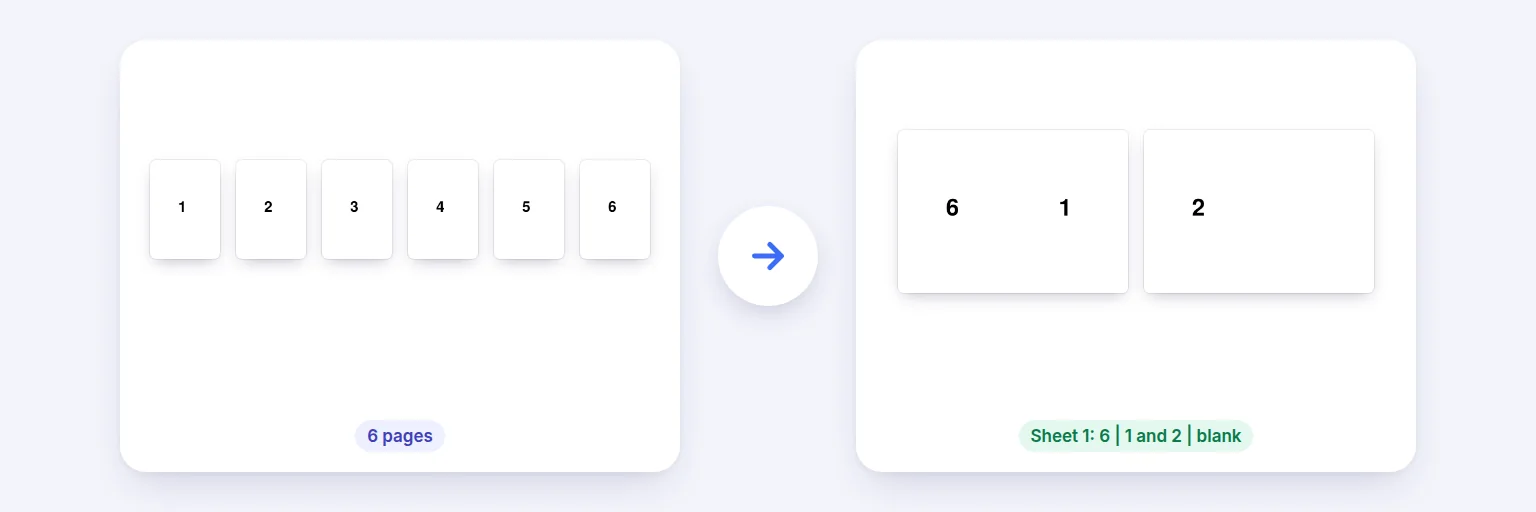
Six pages → two sheets imposed for double-sided printing and folding.
Make a zine, programme, manual or menu: the pages are re-ordered and placed two per sheet so that when you print double-sided and fold the stack, they come out in the right order. Blank pages are added if needed (before the back cover), and thick documents can be split into sections.
Pages keep their text and vector drawings — nothing is turned into pictures.
📖 Drop a PDF to turn into a booklet, or tap to choose
Several PDFs are combined in order first
The preview is the real result.
Print double-sided, flip on the short edge, then fold.
🔒 Prepared on your device. Nothing is uploaded.
Up to about 1,500 pages on a computer, less on phones. Links and form fields inside the pages don’t survive N-up, booklet and fit-to-paper layouts (the pages are placed as drawings); splitting in half keeps them. Password-protected PDFs need the password removed first.
Six pages → two sheets imposed for double-sided printing and folding.
Add your PDF — ideally with a page count that is a multiple of 4 (otherwise blank pages are added).
Choose the sheet size (A4 makes an A5 booklet; Letter makes a half-letter booklet; A3 makes an A4 booklet), the binding side and, for thick documents, sections.
Check the preview: sheet 1 front and back.
Press Make booklet, then print double-sided, flip on short edge, at 100%. Fold in the middle and staple on the fold.
💡 Tip: Printer has no duplex? Print the odd pages, turn the stack over (keeping it in the same order) and print the even pages.
A folded booklet of 8 pages uses 2 sheets: the outer sheet carries pages 8 and 1 on the front and 2 and 7 on the back; the inner sheet carries 6 and 3, then 4 and 5. Working this out by hand is error-prone — this tool does it for any length, adds blank pages so the count is a multiple of 4 (placed before the back cover, so the cover stays last), and supports right-hand binding for right-to-left books.
More than about 40 pages won’t fold neatly as one stack. Choose sections (also called signatures) of 1, 2, 4 or 8 sheets: each section is folded separately and the sections are stacked and bound. The output keeps the pages sharp — they’re placed as vector content, not images.
Add the PDF, choose the sheet size and press Make booklet. Print the result double-sided with “flip on short edge”, fold the stack and staple on the fold.
A folded booklet always has a multiple of 4 pages. Blanks are added before the back cover so the cover stays last.
A4 gives an A5 booklet, US Letter gives a half-letter booklet, A3 gives an A4 booklet.
Yes — choose Binding: Right.
No. Pages are arranged in your browser on your device.
Free tools that pair well with this one.