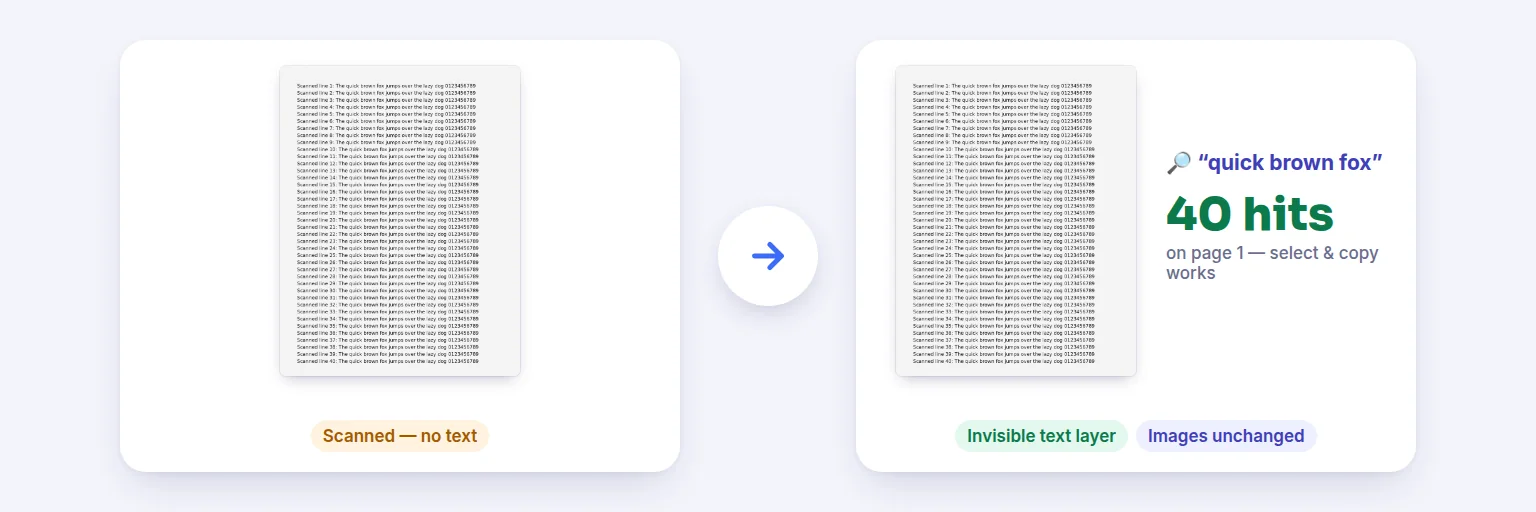
A scanned page with no text → the same page with an invisible text layer you can search and copy.
A scanned PDF is just pictures of pages — you can’t search it, select a sentence or copy a number. This adds an invisible text layer exactly over the words, so Ctrl+F, copy and screen readers work, while the pages look exactly as before. English, Hindi and Telugu, recognised on your own device.
Mixed PDFs are fine: pages that already have text are kept as they are.
🔎 Drop scanned PDFs or photos of documents here, or tap to choose
PDF · JPG · PNG · WebP · iPhone HEIC — images become pages of one PDF
🔏 A digitally signed PDF is included: adding a text layer changes the file, so the signature will no longer be valid.
English, Hindi, Telugu — or English mixed with either on the same page.
The text layer is invisible and sits exactly over the words on each page, so search, select, copy and screen readers work. The page images are not touched — no re-compression, no quality loss.
Each result is re-read after saving to confirm its text can be found.
🔒 OCR runs on your device. Your scans and their text are never uploaded.
Up to 60 files and about 300 pages at once on a computer, less on phones; each scanned page takes a few seconds. Pages are read at 300 DPI. Handwriting, very small print and poor photos may be misread — the text layer is only as good as the OCR. Columns and tables are recognised as text in reading order. The OCR engine and language data download once from aimerger.com.
A scanned page with no text → the same page with an invisible text layer you can search and copy.
Add scanned PDFs — or photos of documents, which become pages of one PDF.
Choose the language of the text. Keep “Leave pages that already have text” on for PDFs that mix typed and scanned pages.
Press Make searchable. The first run downloads the OCR engine and language data once; after that it starts straight away and works offline.
Download the searchable PDF. Type a word in “Try a search” to see which pages it’s found on — the check reads the saved file, not the OCR notes.
💡 Tip: For the best text layer, scan at 300 DPI, straight, with good contrast. Rotate sideways pages first (with Rotate PDF Pages) — OCR reads upright text far better.
Each scanned page is rendered at 300 DPI and read by Tesseract, a well-known open-source OCR engine compiled to WebAssembly, running in your browser. For every page it produces an invisible text page in which each word sits where it appears on the scan. That text page is laid exactly over the original page — the crop box and any page rotation are taken into account — so selecting a word highlights the right place.
The original page picture is not decoded, re-compressed or replaced, so there is no quality loss, and the file only grows by the size of the text. Pages that already contain real text are left alone, which makes mixed documents fast and avoids doubling their text.
English, Hindi (Devanagari) and Telugu are available, alone or mixed with English on the same page; their text is stored with proper Unicode, so search and copy work in those scripts too. OCR is very good on clear print and needs checking on handwriting, tiny or decorative fonts, low-light photos and complex tables. Pages read with low confidence are flagged. You can also download the recognised text as a TXT file.
Most “OCR PDF” websites upload your scans to their servers. Here, the engine and language files are downloaded from aimerger.com once and cached by your browser; your documents and their text never leave your device. That matters for bank statements, IDs, medical letters and contracts.
Add the scanned PDF above, choose the language and press Make searchable. You get the same PDF with an invisible text layer, so Ctrl+F, copy and screen readers work.
No. The page images are not touched or re-compressed; only invisible text is added on top.
Yes — “OCR PDF” and “searchable PDF” mean the same thing: recognised text stored invisibly behind the page image.
Yes. Choose Hindi, Telugu, or English mixed with either. The language data downloads once (about 1.5–2 MB each).
Yes. Add JPG, PNG, WebP or iPhone HEIC photos: each becomes a page of one searchable PDF.
They are left exactly as they are by default, so typed pages aren’t OCR’d again.
No. OCR runs in your browser on your device.
Free tools that pair well with this one.