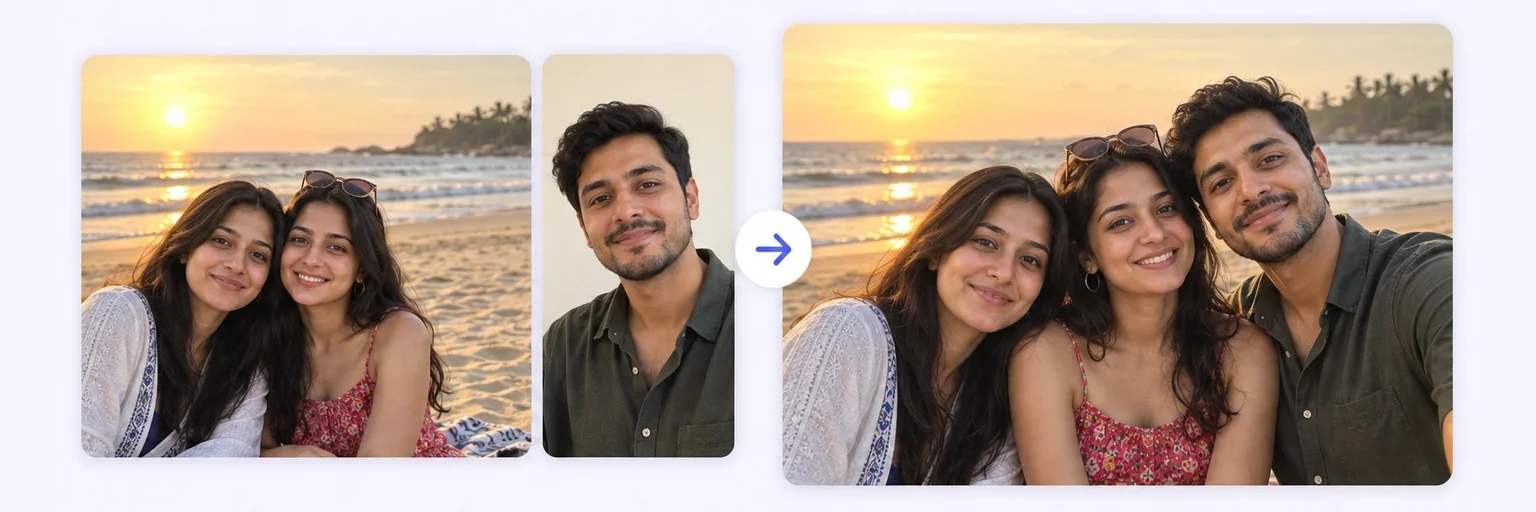
Add the one who took the picture.
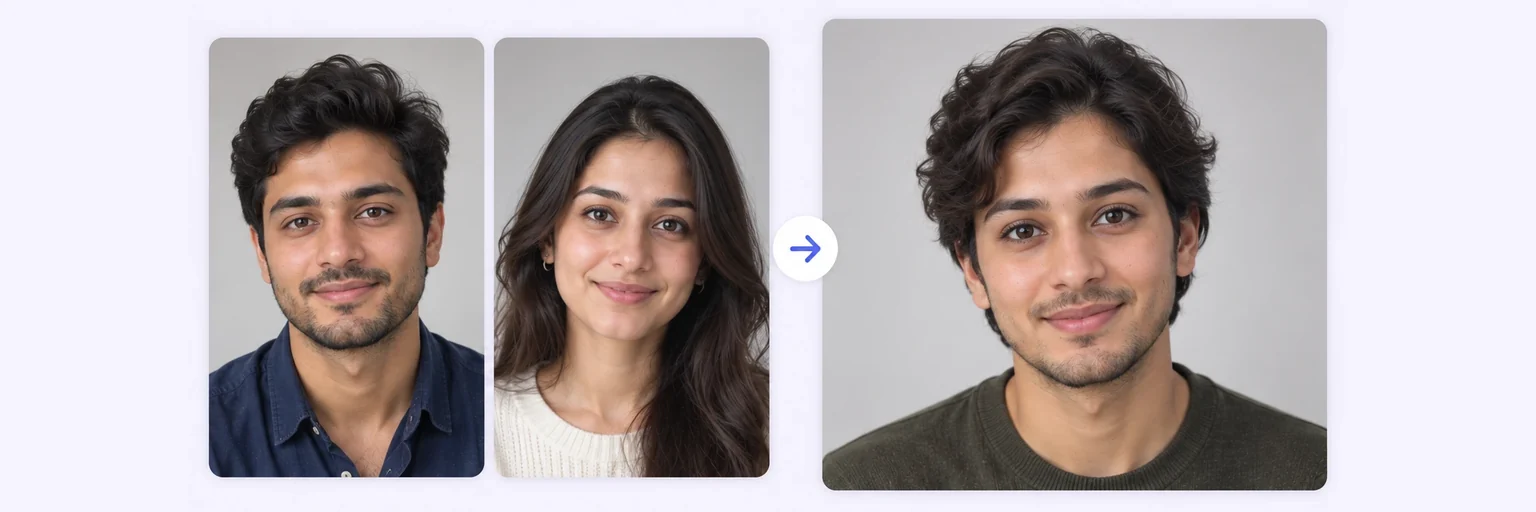
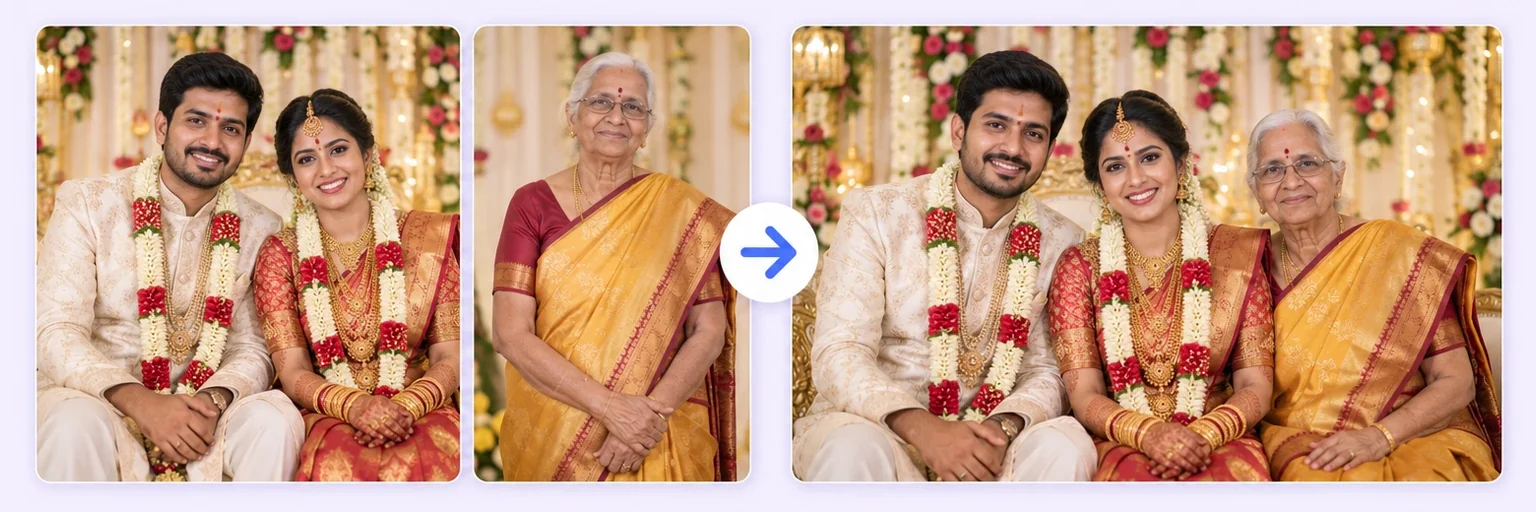
Someone missing from the picture? Upload the photo and a picture of the person, and AI places them in naturally — matching light, shadows, and scale in seconds.
Add the one who took the picture.
Drop in 2–8 pictures — merged instantly on your device, never uploaded.
📸 Drop 2–8 photos here, or click to choose
JPG, PNG or WebP · merged instantly in your browser · nothing is uploaded anywhere
Side-by-side, grid or collage — tweak spacing, corners and size live.
Full quality, no watermark — the button turns green when ready.
One photo + the options below works great — add 2+ when you want to truly merge people or images.
✨ Drop 1–4 photos here, or click to choose
One photo: change outfits, hair, background, or see your future baby · Two+: merge people and scenes into one picture
One tap sets everything up — 23 styles, each with its own quick options.
Pick a scene, lighting and quality — or just describe what you imagine.
Standard 1K costs 1 credit. 2K costs 2 credits and 4K costs 4 — you’ll be asked to confirm before a bigger image is generated.
10–40 seconds. Failed merges never cost a try or a credit.
No key yet? Get a credit pack — your key is shown on screen the moment you pay (and emailed as a backup). Credits never expire.
Your free daily blend and your credit key work on every one of them.
Under Add 1–4 photos, drop two photos onto the box or click to choose. First the photo you want to add someone to, then a clear picture of that person.
The ✨ AI Photo Blend tab opens automatically with the 🏞️ Person into scene style already selected. Add a note like "standing on the left" or "sitting next to the child" in the description box to control placement.
Press ✨ Blend with AI. The result appears in about 10–20 seconds; failed generations are never counted.
Press ⬇️ Download result (no watermark) or 📤 Share. Not quite right? Change one thing and blend again.
💡 Tip: Match the mood: a daylight photo and a daylight portrait blend far better than daylight + indoor flash.
It happens at every gathering: the picture is perfect, except someone's missing — the relative who took the photo, the friend who arrived late, the partner stuck at work. Adding a person to a photo used to require an editor and hours of careful masking, and the result still floated on the surface like a sticker.
AIMerger's AI rebuilds the scene instead. Upload the original photo plus a clear picture of the person you want to add, choose the Person into scene style, and the model inserts them with correct size, matching light direction, believable shadows and natural spacing — as if they'd been standing there all along.
The situation is always the same: one person is missing from a photo that matters. They took the picture, they were at work, their flight was cancelled, or they are no longer here. You have a good photo of them from somewhere else, and you want the group shot that should have existed.
Upload the scene first, then the photo of the person to add, and say where they belong: “add the man from the second photo standing on the left, slightly behind the group”. Position, distance and posture are worth spelling out — the AI follows them, and it saves a retry.
A family member who missed the photo — “add the woman from photo two on the right of the group, same height as the man beside her, matching the outdoor light”.
The person holding the camera — “add the photographer into the scene on the left, standing naturally, as if someone else had taken the picture”.
A pet — “add the dog from photo two sitting at their feet, in scale with the people”. The pet photo merger is tuned for this.
Someone who has passed away — many people use this to put a grandparent into a photo with grandchildren they never met. Memorial photo merge handles it gently and changes nothing about how they looked.
A whole group — if you are adding more than one person, the group photo generator composes the scene from scratch instead, which works better than adding people one at a time.
Free forever. No watermark. No account. It just works.
Start merging →Upload the photo and a clear picture of the person in the AI Photo Blend tool above, select the 'Person into scene' style, and generate. The AI inserts them with matching light, shadows and scale — no editing skills needed.
Yes — the AI rebuilds the scene rather than pasting a cutout, so size, perspective, lighting and shadows match the original photo. If a result isn't right, 'Try again' generates a new variation.
You get free AI merges every day with no signup. Credit packs (which never expire) cover heavier use.
Yes — describe it in the prompt, e.g. 'add him standing between the two people on the right'. The AI follows placement instructions.
Upload the original scene and a clear photo of the person, then describe where they should stand. The AI places them with matching light, shadows and scale in about 10 to 30 seconds.
Yes, when the source photo is clear and well lit. The blend is built to preserve facial identity rather than generate a similar-looking stranger. Small, blurry or heavily filtered source photos are what cause a loss of likeness.
Yes. Scan or photograph the old print as sharply as you can, then add the person as usual. For damaged prints, restore first with the restore and merge tool.
Yes — free AI merges are included every day with no signup, and credit packs start at $4.99 if you need more. Failed generations never cost anything.
Everything on AIMerger brings things together — here is what pairs with this one.