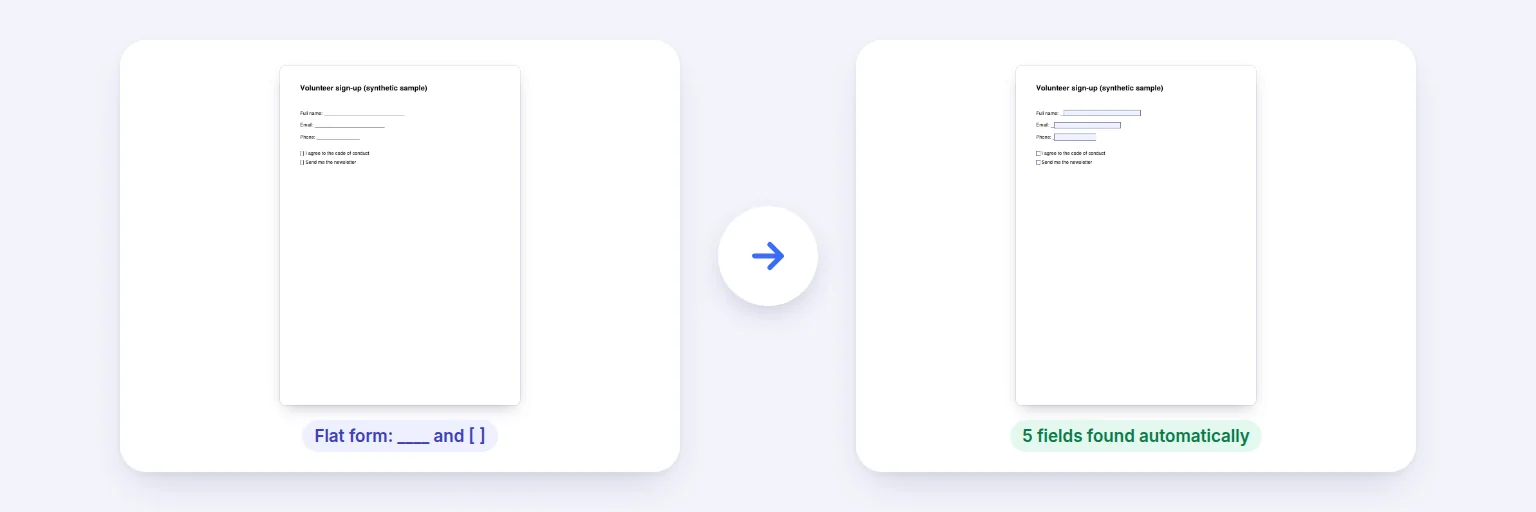
A flat form with ____ lines and [ ] boxes → fillable fields found automatically.
Turn a form made in Word, a scanned form or a blank page into a fillable PDF: draw text fields, multi-line boxes, check boxes, radio choices, drop-downs and date fields — or let it find the ____ lines and [ ] boxes for you. Give fields names and tooltips, mark them required, then fill the form in any PDF reader or from a spreadsheet.
Existing fields are kept.
📝 Drop a PDF to make fillable, or tap to choose
A form made in Word, a scanned form, or any PDF
Choose a type and drag on the page, or let it find the blank lines and boxes. Name each field and set its options.
Standard PDF form fields that work in Acrobat, Chrome, Edge, Firefox and Preview.
🔒 Built on your device. Nothing is uploaded.
Field text uses Helvetica; values in other scripts may not display in every PDF reader. Date fields are text fields with a format hint (no scripts are added). Signature fields aren’t created — add a drawn signature with Add Image to PDF instead. Password-protected PDFs need the password removed first.
A flat form with ____ lines and [ ] boxes → fillable fields found automatically.
Open your PDF — or start with a blank A4 or Letter page.
Press Find blanks automatically to add fields where the page has ____ lines and [ ] boxes, and/or choose a field type and drag a box on the page.
Select each field to set its name, tooltip (read aloud by screen readers), whether it’s required, text size, maximum length, default value or options.
Press Save fillable PDF and download. Open it in any PDF reader to fill it in — or fill many copies at once with Fill PDF from Excel.
💡 Tip: Name fields the way you’ll name spreadsheet columns (“Full name”, “Email”), and Fill PDF from Excel will match them automatically.
The fields you add are standard PDF (AcroForm) fields: they can be filled and saved in Adobe Acrobat Reader, Chrome, Edge, Firefox, macOS Preview and most mobile PDF apps. Text fields can be single or multi-line with a maximum length; check boxes and radio choices can have defaults; drop-downs list your options. Existing fields in the PDF are kept.
Every field gets a tooltip (the PDF “TU” entry) that screen readers announce — the field name is used if you don’t write one. “Find blanks automatically” reads the page text, adds a text field over each run of underscores or dots and a check box over each [ ] or ☐, and names each field from the label beside it (“Full name: ______” becomes “Full name”). Rotated pages are handled, so fields line up and their text is upright.
No JavaScript is added (so no automatic date formatting or calculations) — date fields carry a format hint instead. Signature fields aren’t created; to sign, add a drawn signature with Add Image to PDF.
Open the PDF above, press Find blanks automatically or draw fields with the field tools, then press Save fillable PDF and download. No sign-up, no watermark.
It adds text fields over ____ lines and check boxes over [ ] or ☐ boxes in the page text, named from their labels. Scanned forms without text need fields drawn by hand (or OCR first).
Text, multi-line text, check boxes, radio choices, drop-downs and date fields.
Yes — the fields are standard PDF form fields.
Yes. After saving, use Fill PDF from Excel to create one filled copy per spreadsheet row.
No. The form is built in your browser on your device.
Free tools that pair well with this one.