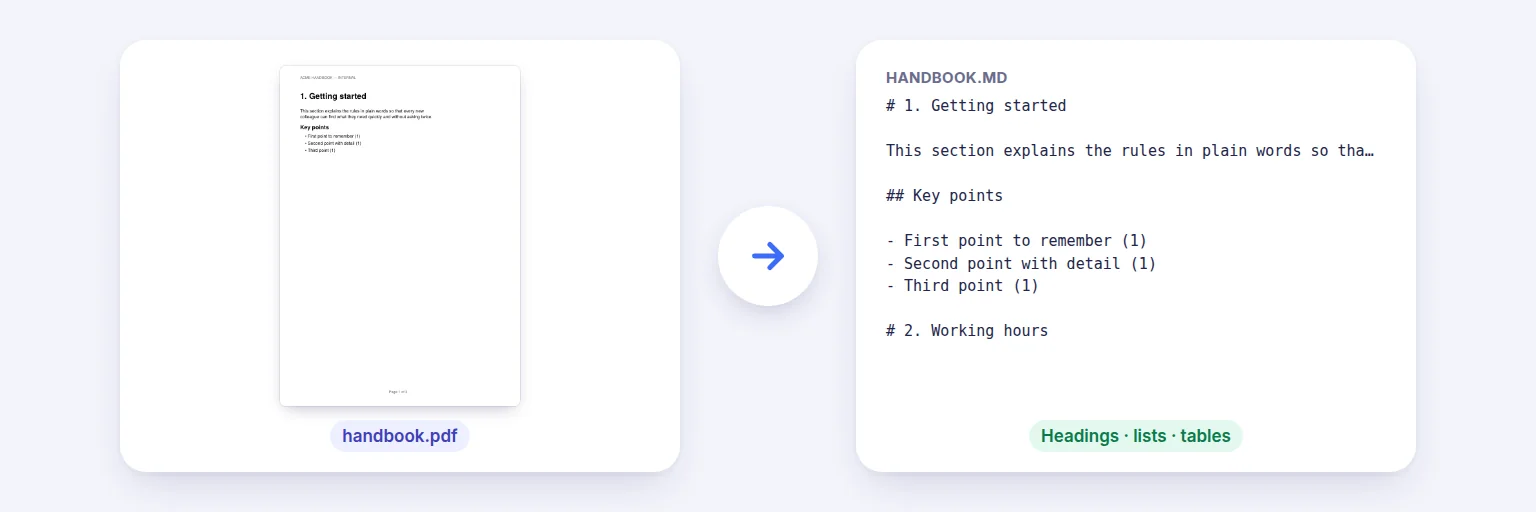
A handbook PDF → clean Markdown with headings, lists and tables.
Turn PDFs into tidy Markdown for ChatGPT, Claude, Gemini, Obsidian, Notion or your docs: headings from font sizes, bullet and numbered lists, paragraphs re-joined across line breaks, tables as Markdown tables, and running headers, footers and page numbers removed. Scanned pages can be read with OCR. Check the formatted preview, then copy or download.
PDFs with selectable text convert instantly; scanned pages can be read with OCR.
Ⓜ️ Drop PDFs to convert to Markdown, or tap to choose
Reports, papers, manuals, handbooks — up to 20 at once
Clean output for AI tools, note apps and documentation.
See the formatted preview and the raw Markdown before downloading.
🔒 Converted on your device. Nothing is uploaded.
Headings are recognised from font sizes and bold text, lists from bullets and numbers, tables from column alignment — complex layouts (multi-column pages, sidebars, footnotes, formulas) may need tidying. Images are not exported. Up to 20 PDFs at once; OCR takes a few seconds per scanned page.
A handbook PDF → clean Markdown with headings, lists and tables.
Add one PDF or up to 20.
Keep “Remove repeated headers…” and “Turn tables into Markdown tables” on. Add page markers or front matter if your workflow needs them; tick OCR for scanned pages.
Press Convert. Switch between the formatted preview and the raw Markdown.
Press Copy Markdown or Download .md — or send the files straight to Merge Files for AI.
💡 Tip: Feeding a long report to an AI? Convert it here first: Markdown with real headings and tables uses fewer tokens than raw PDF text and keeps the structure the model needs.
Copying text out of a PDF gives you broken lines, page numbers in the middle of sentences and tables flattened into a jumble. This converter reads each word with its size and position: larger or bold lines become headings (#, ##, ###), lines starting with bullets or numbers become lists, lines are re-joined into paragraphs (hyphenated words fixed), and runs of aligned columns become Markdown tables. Lines that repeat at the top or bottom of most pages — running titles, “Page 3 of 12” — are removed.
Markdown is the format language models read best and the native format of Obsidian, Notion, GitHub and most documentation tools. Add YAML front matter (title, source, pages) for note apps, or page markers as HTML comments so answers can point back to a page. For several documents at once, send the results to Merge Files for AI to combine them with a source index and split them into parts that fit a context window.
Multi-column layouts, sidebars, footnotes, formulas and images are not reproduced; complex documents may need light tidying. Scanned pages are read with OCR (English, Hindi or Telugu) on your device — check the result. Nothing is uploaded.
Add the PDF above and press Convert. Check the preview, then copy the Markdown or download the .md file.
Yes — tables found by column alignment become Markdown tables. Complex tables with merged cells may need tidying.
Yes. Tick “Read scanned pages with OCR” and choose the language; the text is recognised on your device.
Not by default — lines repeated at the top or bottom of most pages, and page numbers, are removed.
Usually: it keeps headings, lists and tables in a compact plain-text form that AI models read reliably and that uses fewer tokens.
No. Conversion happens in your browser on your device.
Free tools that pair well with this one.