Step 1: Digitize the old photo properly
With old prints, the quality of the scan decides the quality of the result. You don't need special equipment — just a little care:
- Take the print out of its frame or album sleeve. Glass and plastic cause glare and reflections the AI can mistake for damage.
- Use a scanner at 600 dpi if you have one. Otherwise, lay the photo flat in soft daylight and shoot straight down with your phone — no flash.
- Hold the phone parallel to the print so the photo isn't skewed, and fill the frame instead of zooming digitally.
- Move in close for small faces. If the person you want is tiny in a group shot, photograph or scan that part of the print up close.
- Keep the original file. Save the untouched scan somewhere safe before you edit anything.
Step 2: Choose the new photo
- Match the pose where you can — a front-facing old portrait merges best with a front-facing new photo.
- Pick a clear, well-lit picture with the face fully visible.
- Think about the scene. Decide whether the merged photo should feel like the past, the present, or a neutral setting like a living room or a garden.
Step 3: Restore and merge with AI
- Open the tool below (or Restore Old Photos & Merge) and make sure the ✨ AI Photo Blend tab is open.
- Upload the old scan and the new photo. One blend takes up to four photos — handy for grandparents plus grandchildren.
- Tap the “🕰️ Restore & merge” style (pre-selected here). It restores, sharpens and colorizes the old or damaged photo first, then merges the people into one natural, consistently lit picture.
- Choose a look. Leave Look on auto for a modern color photo, or pick Vintage film look or Black and white for a timeless result.
- Describe the moment, for example: “grandfather and granddaughter sitting together on a sofa, warm evening light, both smiling”.
- Press Blend with AI. For printing, first set Quality to 💎 Best — 2K (2 credits) or 🏆 Ultra — 4K (4 credits).
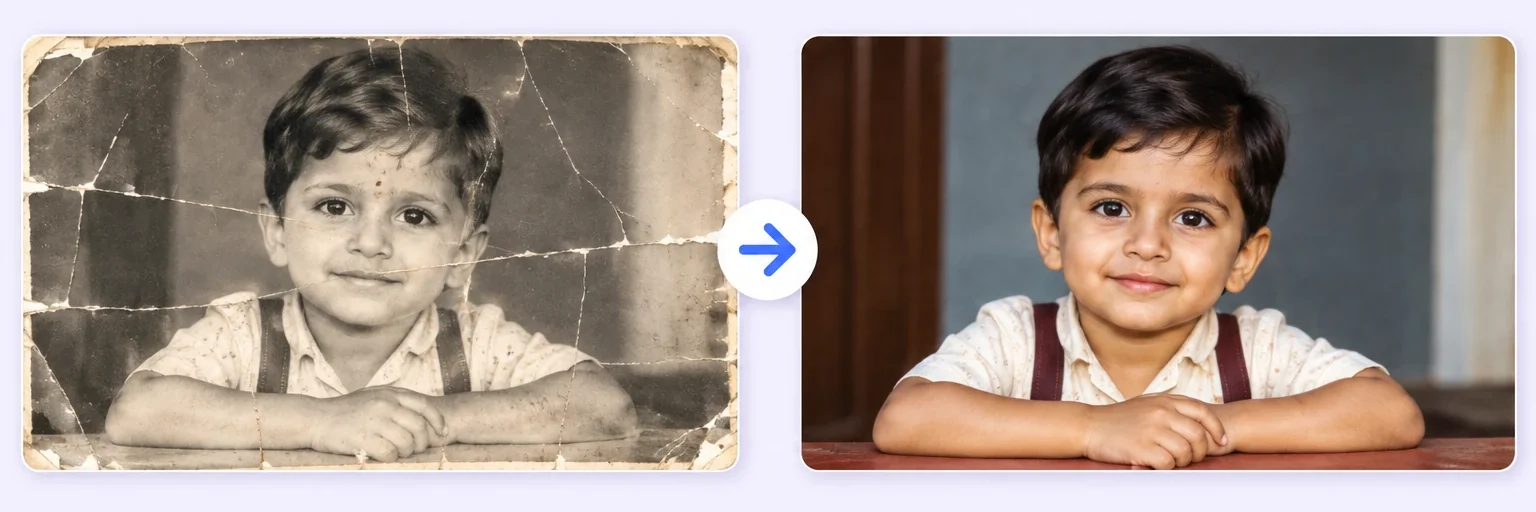
Color or black and white?
Both work — it depends on the feeling you want. A modern color result feels like a new moment that happened today. Black and white or a vintage film look makes it feel as if the new person stepped back into the past. If the old photo is badly faded, color often looks more natural, because restoration fills in tones the print has lost.
Free alternative: an old-and-new photo joiner
Want the original photos left exactly as they are? A “then and now” layout — the same person, house or place decades apart — can be more moving than a blend, and it's free.
- In the tool below, switch to the 🖼️ Free Layout Merger tab.
- Drop in the old and new photos.
- Choose Side by side or Stacked, and set a white or black background for a classic border.
- Download — unlimited, no watermark, and your photos never leave your browser.
Curious about the reverse direction? AI Age Progression shows the same person at any age — your baby at 16, or yourself at 60.
Tips and realistic expectations
- Crop to the person if the old photo is a large group shot, so the AI focuses on the right face.
- Scratches, creases and fading are fixable. A face that is torn away or completely missing is not — the AI can only guess at detail that isn't there. Our honest guide to what AI photo merging can and cannot do covers the limits.
- Try two or three variations and pick the one where everyone looks most like themselves.
- Show it to family first. Relatives are the best judges of whether a grandparent “looks right”.
Ideas worth trying
- Great-grandparents meeting a new baby for a first-birthday album.
- A parent at your wedding or graduation, created from their favorite old portrait — see the memorial photo merge for a gentle approach.
- Family history projects that put four generations in one frame — the family reunion photo tool helps here.
- Recreating an old photo with today's family in the same pose.
The tool is below. Free tries every day, no signup.